

25.04.07 기준 작성
개요
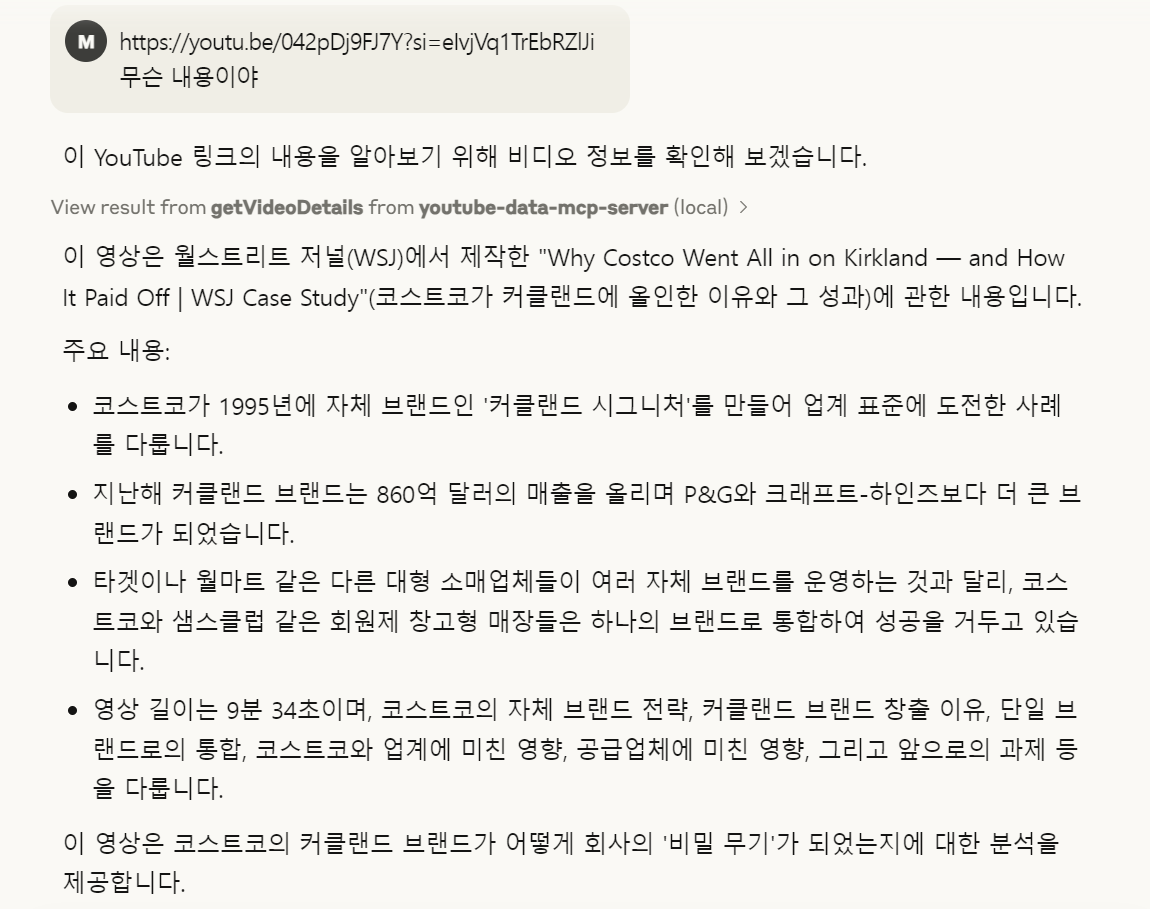
현재 Claude는 유튜브 링크를 직접 분석하지 못함.
하지만 Smithery.ai에서 YouTube MCP를 찾아 Claude에 연결하면, YouTube 영상 내용을 파악하고 분석할 수 있게 됨.
(영상 요약, 전체 대본 확인, 내용 정리 등 가능)

Claude에 Youtube MCP 설치방법
youtube api 발급 받기
YouTube MCP 사용하기 위해서는 YouTube API 키가 필요함. 공식 Google 개발자 콘솔에서 발급받아야 함
아래 블로그 참고
https://brunch.co.kr/@mystoryg/156
YouTube Data API 키 발급받기
YouTube Data API 키 발급받기 YouTube API를 사용하기 위해서는 키가 필요한데 발급받는 과정은 다음과 같다. 1) https://console.developers.google.com/apis 접속 후 좌측 라이브러리 선택 2) YouTube Data API v3 선택
brunch.co.kr
smithery.ai 에서 youtube mcp 찾기
smithery.ai 사이트는 AI와 다양한 서비스를 연결해주는 MCP 모음 사이트임.
Smithery - Model Context Protocol Registry
Enable AI agents to seamlessly interact with VS Code, enhancing their capabilities to modify files, open projects, and check extension statuses. Streamline your development workflow by integrating AI assistance directly into your coding environment. Experi
smithery.ai
여기서 youtube 검색했을 때 제일 먼저 나오는 것으로 해봄
https://smithery.ai/server/@icraft2170/youtube-data-mcp-server?code=1b838652-8189-4bfb-a28a-71f2f7f30a24
YouTube MCP Server | Smithery
@icraft2170/youtube-data-mcp-server
smithery.ai
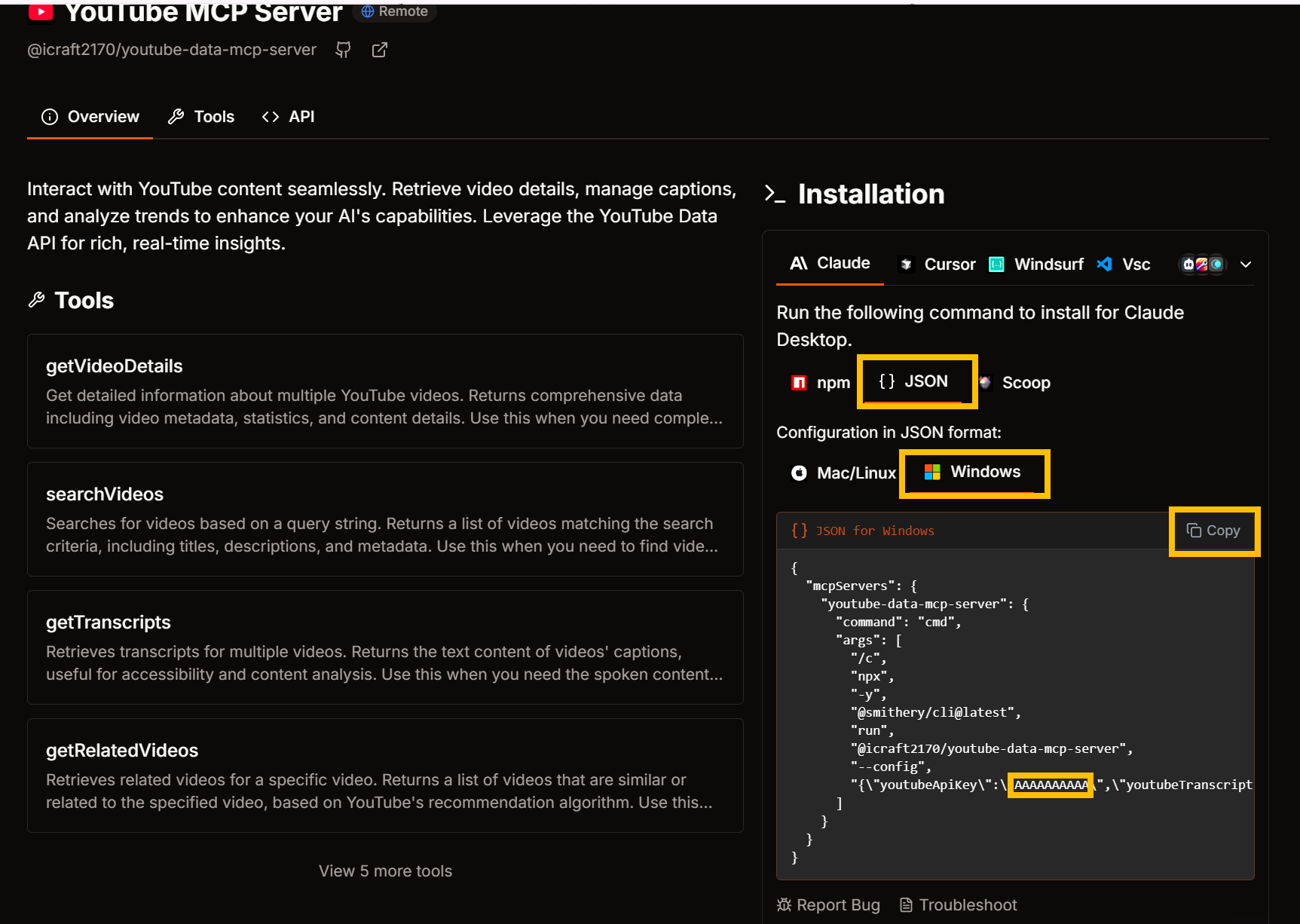
- 발급받은 youtube api 키를 붙여넣기 - connect 버튼
- json - 맞는 운영체제 선택 - 생성된 json copy (입력햇던 youtube api 가 노랗게 표시한 부분에 들어가게 된다)

Claude config.json 에 넣기
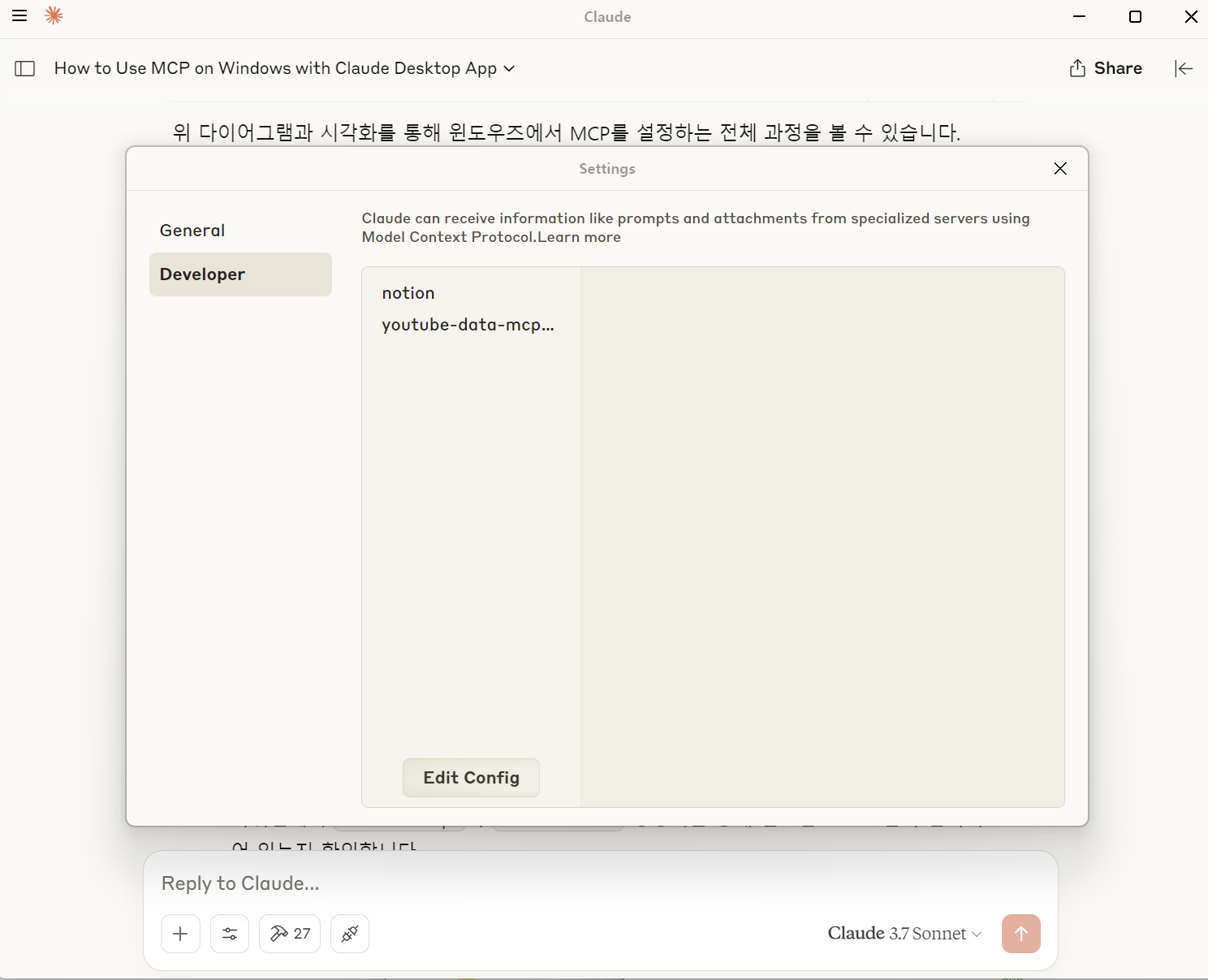
- claude desktop - 좌측상단 버튼 - File - Settings - Developer - edit config 버튼 - claude_desktop_config.json 파일
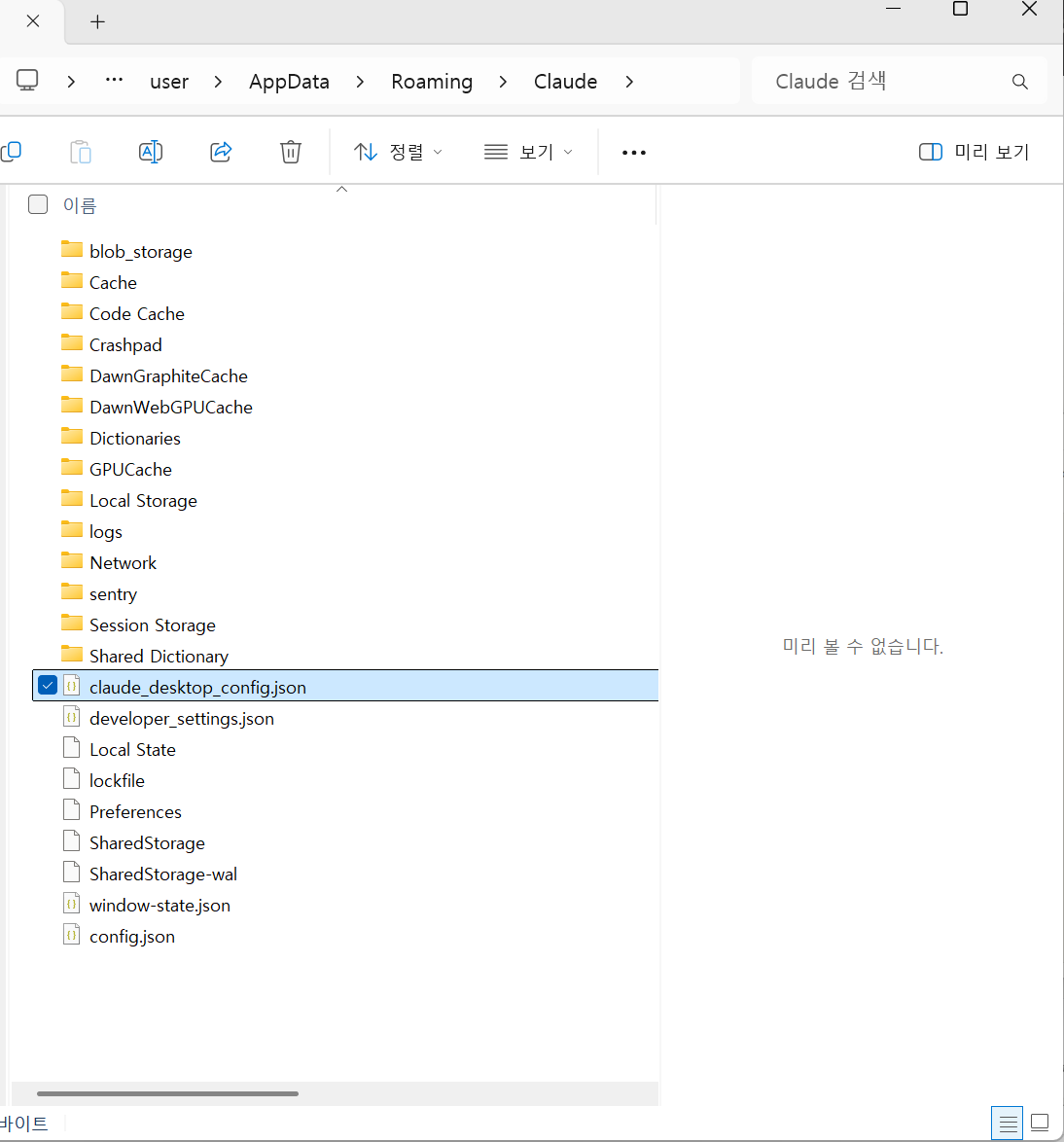
mcp 설치가 처음이라면 아래 글 참고
https://orangecake.tistory.com/22
claude - notion mcp 연결하기
https://www.youtube.com/watch?v=opl0m4SVB80 25.03.26 기준 작성 / 25.03.07 보완1. Notion API 설정Notion API 통합 페이지(https://www.notion.so/my-integrations) 에서 API 키 발급발급받은 API 키 복사해두기2. Notion 페이지와 통
orangecake.tistory.com
두개 이상의 mcp 를 설치한다면 이런식으로 들어가야할것
{
  "mcpServers": {
    "notion": {
      "command": "npx",
      "args": ["-y", "@suekou/mcp-notion-server"],
      "env": {
        "NOTION_API_TOKEN": "---notionAPI키 입력위치---"
      }
    },
    "youtube-data-mcp-server": {
      "command": "cmd",
      "args": [
        "/c",
        "npx",
        "-y",
        "@smithery/cli@latest",
        "run",
        "@icraft2170/youtube-data-mcp-server",
        "--config",
        "{\"youtubeApiKey\":\"---youtubeAPI키 입력위치---\",\"youtubeTranscriptLang\":\"en\"}"
      ]
    }
  }
}
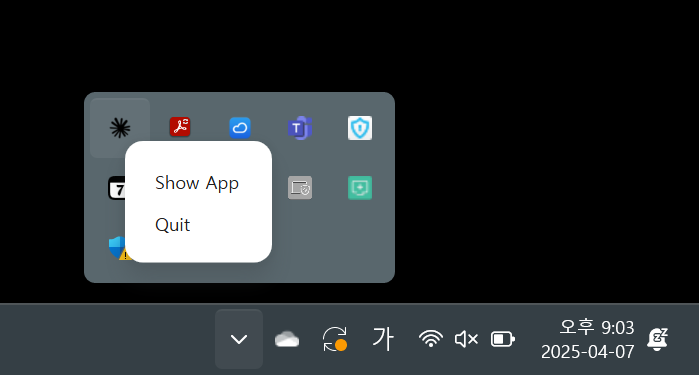
이후 완전히 껐다 끄기(그냥 창닫기로는 안됨. 윈도우 우측하단 아이콘으로 꺼야됨) . 작업관리자를 열어서 완전 종료 시켜도 됨
Claude - Youtube mcp 로 할수 있는 것
요약해달라고 하기
전체 대본 달라고 하기

보고서로 정리해달라고하기

'Claude' 카테고리의 다른 글
| mcp 사용을 위한 npx, uvx 설치 (0) | 2025.04.07 |
|---|---|
| claude desktop 폰트바꾸기 (0) | 2025.04.07 |
| Claude - Notion MCP 연결하기 (0) | 2025.03.27 |